Free · France
FranceConnect: Accessing Services, Not Replacing Eligibility
A successful connection answers an identity question. It does not automatically answer the question your application asks.
You select FranceConnect, identify yourself and return to an administrative website. The connection worked. Does that mean the application is submitted? That your documents are accepted? That you qualify for the service?
Not necessarily. Those are different stages. Understanding the distinction helps with both ordinary use and troubleshooting: you can identify whether the problem concerns signing in, completing a procedure or obtaining a decision, rather than describing every difficulty as “FranceConnect is not working.”
This article explains that structure. It does not assess your personal eligibility, operate an account or supply a workaround for identity requirements.
What the connection does
The official FranceConnect user guide describes a connection method using an existing active account with a participating identity provider. You start on the service you want to use, choose FranceConnect, identify yourself through an available provider and return to the service.
Think of three distinct roles:
- Identity provider: the account or digital identity used to identify you.
- FranceConnect: the connection route between that identity and a participating service.
- Receiving service: the website where you carry out the actual procedure.
This is an explanatory model, not three new accounts you must create. The practical benefit is recognising which part of the journey you are in. A problem with a provider's password is not the same as a question about a document requested after you have reached the receiving service.
Access itself has conditions
FranceConnect is not automatically available to every new arrival from the first day. Its official conditions page sets out age, identity-record and partner-account conditions. In particular, it explains the relevance of registration in the RNIPP and a definitive social-security number; a temporary number does not satisfy that stated condition. Identity providers can also have their own access conditions.
Check the current requirements for the route you intend to use. Do not interpret a sign-in barrier as a determination that you are ineligible for the underlying public service. Conversely, being able to sign in does not establish that you meet that service's substantive rules.
If you cannot use the offered identity route, look for the receiving service's official alternative or assistance instructions. Do not use someone else's account, invent identity details or change a record merely to make an error disappear.
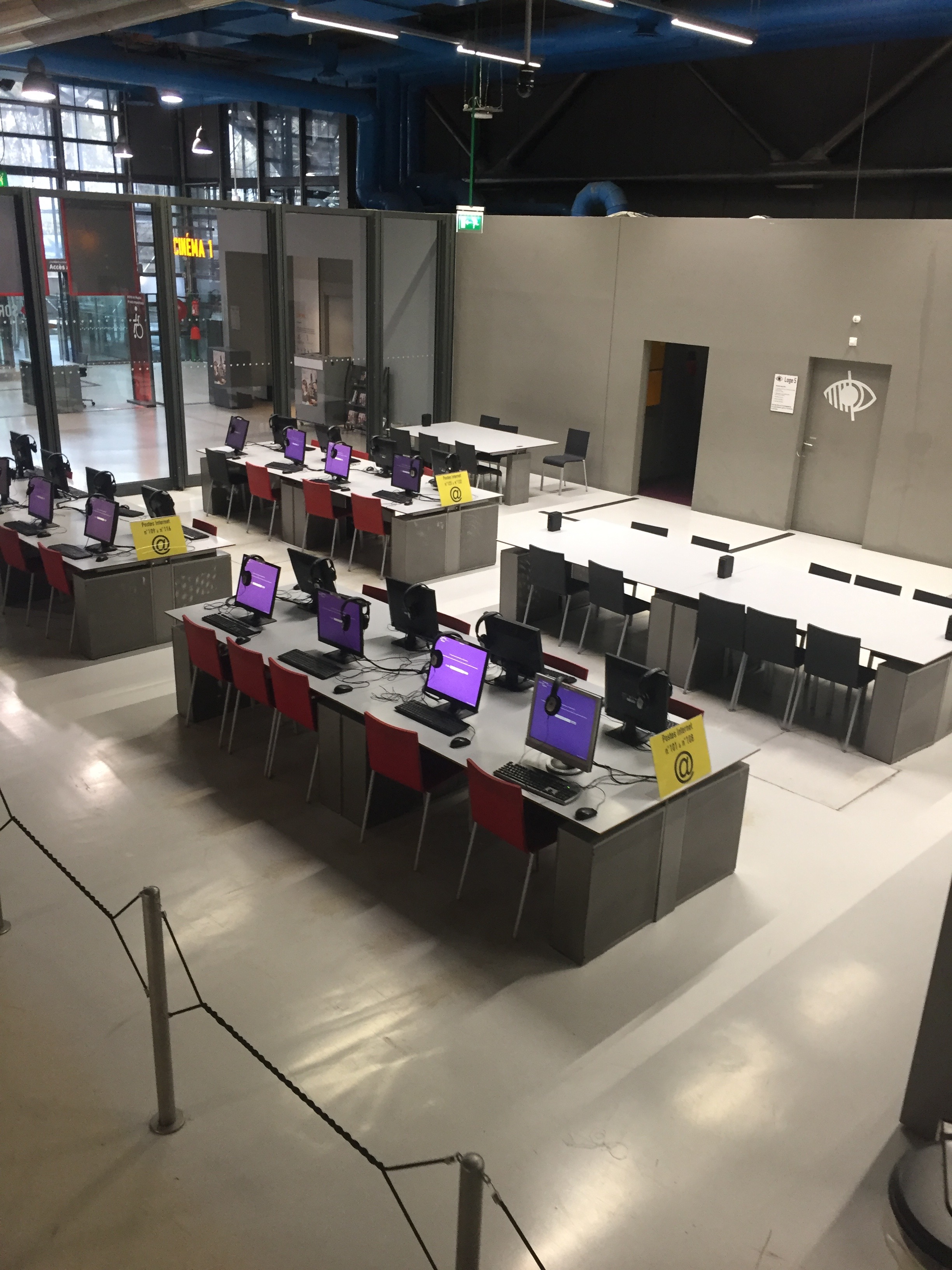
Public computer terminals at the Bpi, Paris, 15 November 2016. This historical photograph illustrates a computer-access setting, not a FranceConnect interface or a promise of current equipment, location or support. Photograph: Charlotte Henard, CC BY-SA 2.0; original image, no crop.
Separate five stages in your own notes
The following original framework helps you describe progress without overclaiming it:
| Stage | What you can actually say | What it does not establish by itself | |---|---|---| | Connection | I reached the service through my identity route. | That an application exists. | | Preparation | I entered information or saved a draft. | That the file was submitted. | | Submission | I completed the stated submission step and retained its acknowledgement. | That every requirement is satisfied. | | Examination | The service is processing the file or has requested material. | That the outcome is favourable. | | Decision | I received an identifiable decision or issued document. | Any broader right not contained in that decision. |
Actual services use their own labels and workflows. This table is not a legal definition of every status. Its purpose is to prevent a common practical mistake: treating evidence of an earlier stage as evidence of a later one.
After finishing a task, look for the service's own confirmation and reference. Do not rely only on a successful-login screen or the fact that a form disappeared. Keep the acknowledgement associated with the named procedure and date, while recognising that its legal effect depends on what it actually says.
FranceConnect+ is a stronger connection route, not a benefit category
The Ministry of the Economy's explanation distinguishes FranceConnect+ as a reinforced version used for procedures requiring additional security. It identifies France Identité and L'Identité Numérique La Poste as digital-identity options, subject to their requirements.
Do not assume that every account available through ordinary FranceConnect also works for FranceConnect+. The France Identité information on the FranceConnect site explains that certification in a mairie is needed for that identity's use in sensitive procedures through FranceConnect+.
The stronger authentication step still concerns identity and security. It should not be interpreted as a separate award of training funding, a housing benefit, residence permission or any other substantive entitlement. The receiving procedure remains the place to establish its conditions and outcome.
Locate the problem before seeking help
Describe the last step that actually worked. Was it choosing a provider, entering that provider's account, returning to the service, uploading a document or receiving a decision? Keep any displayed error code and the name of the service—but not passwords or one-time codes—in your support notes.
The official FranceConnect error guide explains that error pages can provide a help button, a contact button or a route back to the service. Follow the instructions associated with the actual error. Where a problem persists, the guide points to alternative connection methods offered by the receiving service and its support, rather than treating every error as one FranceConnect support case.
An application-status question belongs with the organisation processing that application. For example, the official demarche.numerique.gouv.fr status-help page directs users towards the competent service and the contact details associated with the procedure. This is a useful illustration of the distinction, not a claim that every French administrative site uses that platform.

Historic prefectural architecture in Lille, 8 August 2016. This contextual image is not a current walk-in address or evidence of where a particular application is handled. Photograph: Patrick / Morio60, CC BY-SA 2.0; original image, no crop.
Two fictional situations
The connection succeeds, but a file is incomplete. A reader reaches the service and sees a request for an additional document. Repeating the identity connection will not, by itself, supply that evidence. The useful next step is to read the service's request and answer it through the proper case channel.
The connection fails before a form opens. Another reader receives an error while trying to identify themselves. They have no evidence that a new application was submitted. The useful next step is to follow the official error route or ask the receiving service about an authorised alternative—not to report the application as rejected.
Neither example decides the reader's underlying rights. The lesson is to name the stage accurately so that help can address the actual problem.
Keep control of your identity
The FranceConnect security guidance recommends monitoring connection history and being alert to suspicious activity. It warns against giving sensitive information to people or organisations whose identity you have not established. Its dashboard records connections; that history should not be mistaken for a list of approved applications.
Use the genuine service address rather than a link in an unexpected message claiming that urgent action is required. Do not disclose passwords or one-time security codes to someone offering to “unlock” your entitlement. If another person helps you navigate, remain attentive to the account, the service and the action being taken.
On a shared computer, consider the privacy of your session and downloaded documents. Sign out of the services you used and follow the facility's safe-use guidance. A public terminal is a means of access, not permission to leave personal files or an active account for the next user.
A better support message
A short factual message can separate the layers:
I am trying to complete [named procedure] on [official service]. The last successful step was [step]. The next screen shows [error or request]. I have [a case reference / no submission acknowledgement]. Which official support route applies?
Do not include a password, security code or unnecessary identification document in that initial description. A precise message is more useful than a screenshot containing everything in your account.
FranceConnect can simplify the route into public services, but the route and the result remain different things. Identify yourself accurately, complete the actual procedure, preserve its evidence and read the decision on its own terms. That approach makes online administration easier to understand without promising rights that a login cannot confer.
Sources and scope
Official FranceConnect, Ministry of the Economy and demarche.numerique.gouv.fr information was checked remotely on 29 October 2026. Provider lists, access conditions and procedures can change; use the current official instructions. This is general digital-administration orientation, not individual legal or benefits advice. No account was created, accessed, modified or tested. Photographs are dated contextual illustrations, not screenshots of the current interface or proof of present service access.